Text TV BornHack
Screens showing the schedule at BornHack
Link to web version: text-tv.bornhack.node5.net
2024
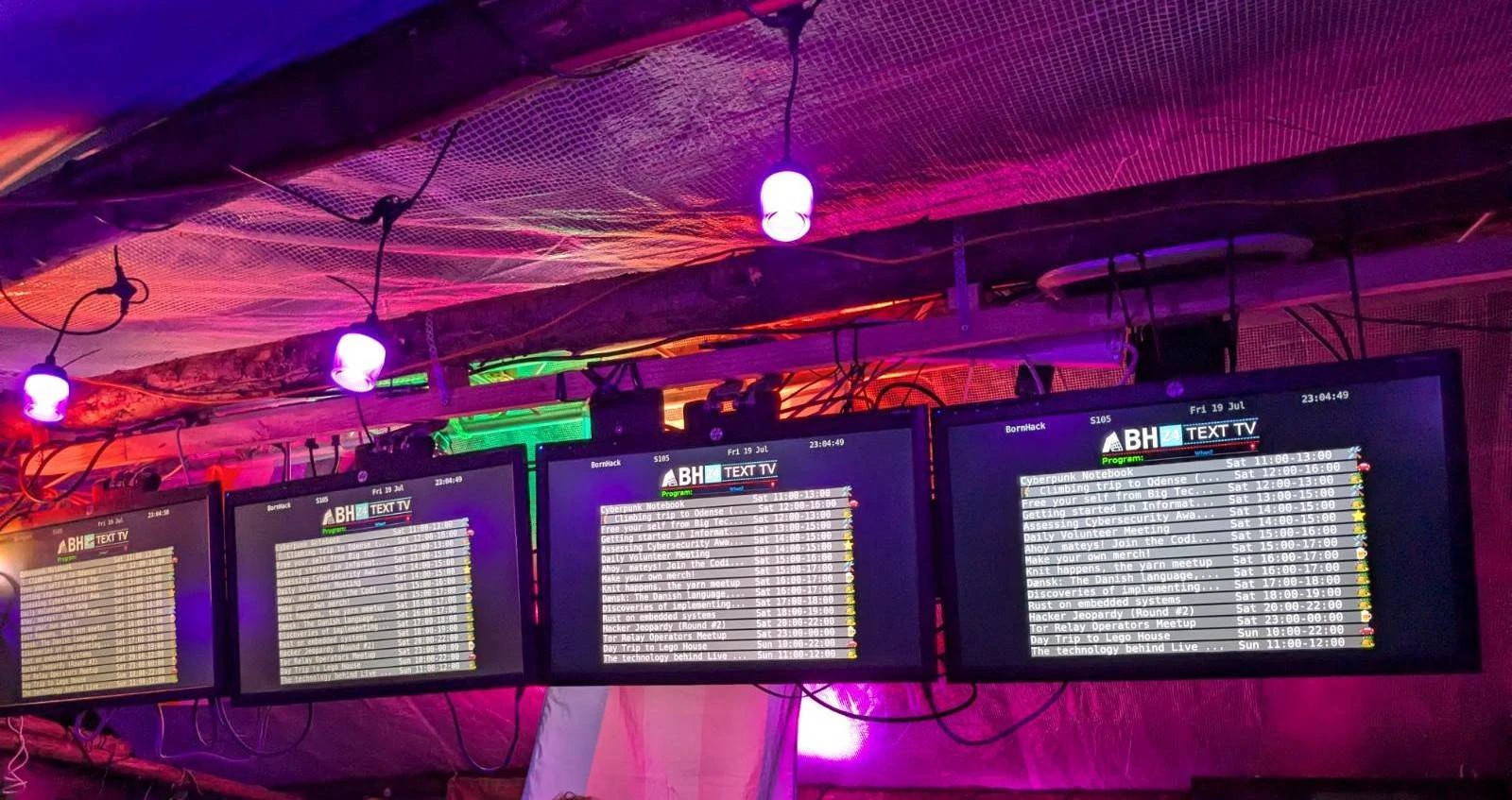
BornHack 2024 featured an even cooler pixelflut screen, inspiring me to make something for it.
Idea
My initial aspiration was to make something with a low barrier of entry for people to interact with the pixelflut. I got the idea to make a text-tv themed setup with a news section and a schedule. The news section was later scrapped, honing in on the main focus displaying the schedule, which was nowhere to find physically at the event, only online.
Mock up
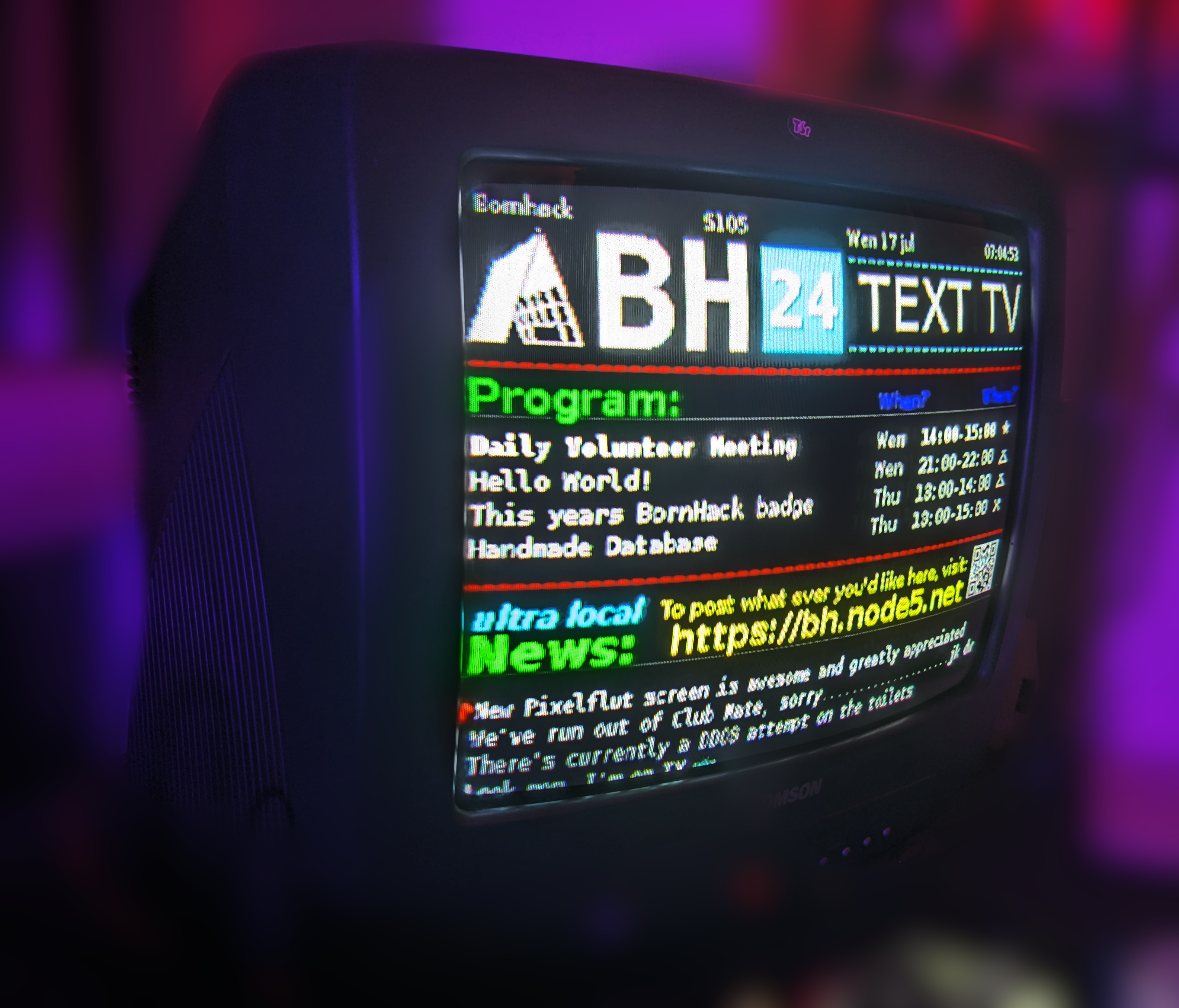
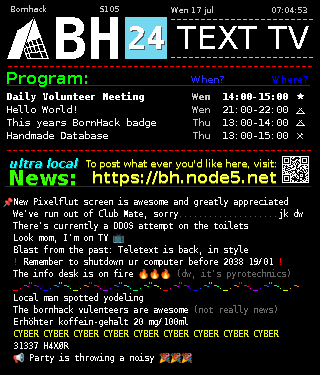
Inspiration
Pixelflut client
A fellow hacker sent me a project to get me started written in C with Pango/Cairo, which can render images and text rather easily, but it was anti-aliased, making it look horrible in the small format.
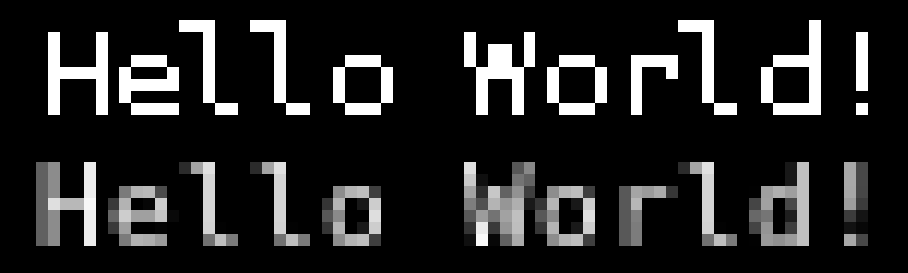
Top is gimp mock up text, bottom is pango cairo rendered text
Turning off anti aliasing
This was annoying, because cairo_set_antialias(cr, CAIRO_ANTIALIAS_NONE); didn't work,
it had to be done in pango context.
Change font rendering (non-antialiased) with pango - stackoverflow.com
An answer in this stack overflow question, mentions that: "In C you can turn off anti-aliasing when drawing with Pangocairo like this:"
cairo_font_options_t *options = cairo_font_options_create();
cairo_font_options_set_antialias(options, CAIRO_ANTIALIAS_NONE);
pango_cairo_context_set_font_options(context, options);
cairo_font_options_destroy(options);
Next problem then, is getting the context.
I found out how to do this in: pango examples cairoshape.c - gitlab.com
Using layout = pango_cairo_create_layout (cr); and pango_layout_get_context (layout);
This means i can now turn off, anti aliasing
Here's a code sample:
  cairo_surface_t *surface;
  cairo_t *cr;

  surface = cairo_image_surface_create_for_data(
    f->image, f->format,
    f->width, f->height, f->stride);
  cr = cairo_create(surface);

  //cairo_scale (cr, 2, 2);
  //cairo_set_antialias(cr, CAIRO_ANTIALIAS_NONE);

  int              w, h;
  cairo_surface_t *image;

  image = cairo_image_surface_create_from_png ("../base.png");
  w = cairo_image_surface_get_width (image);
  h = cairo_image_surface_get_height (image);
  //cairo_translate (cr, 0, 1080 - h);

  cairo_set_source_surface (cr, image, 0, 0);
  cairo_paint (cr);

  // Set up the Pango Cairo context
  PangoLayout *layout = pango_cairo_create_layout(cr);
  PangoFontDescription *font_desc = pango_font_description_from_string("Monospace 7");
  //pango_font_description_set_size(font_desc, 8 * PANGO_SCALE);
  pango_layout_set_font_description(layout, font_desc);
  pango_font_description_free(font_desc);

  // Turn off antialias
  PangoContext *pango_context = pango_layout_get_context (layout);
  cairo_set_antialias(cr, CAIRO_ANTIALIAS_NONE);
  cairo_font_options_t *options = cairo_font_options_create();
  cairo_font_options_set_antialias(options, CAIRO_ANTIALIAS_NONE);
  pango_cairo_context_set_font_options(pango_context, options);
  cairo_font_options_destroy(options);

  // Move
  cairo_translate (cr, 6, 115);

  // Set the text to display
  pango_layout_set_text(layout, "Hello World!", -1);

  // Render the layout
  cairo_set_source_rgb(cr, 1, 1, 1); // Set color to white
  pango_cairo_show_layout(cr, layout);

  // Clean up
  g_object_unref(layout);


  cairo_destroy (cr);
  cairo_surface_destroy(surface);
Which renderes non-anti-aliased text
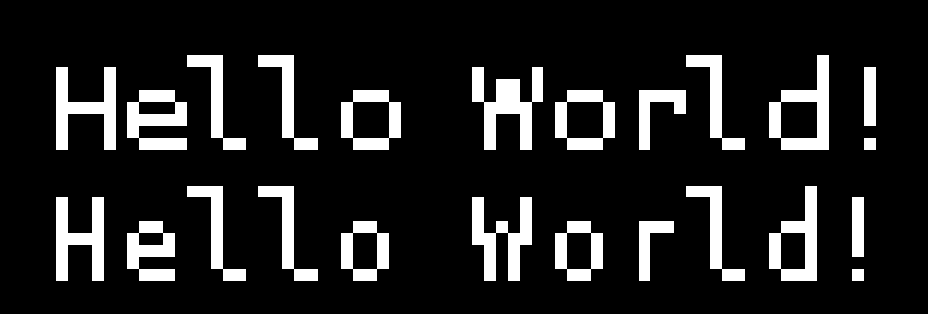
Again, top is gimp mock up text, bottom is pango cairo rendered text
So 2024 Bornhack happened, sadly the pixel flut screen died, so i shifted from pixel flut to a website.
2025
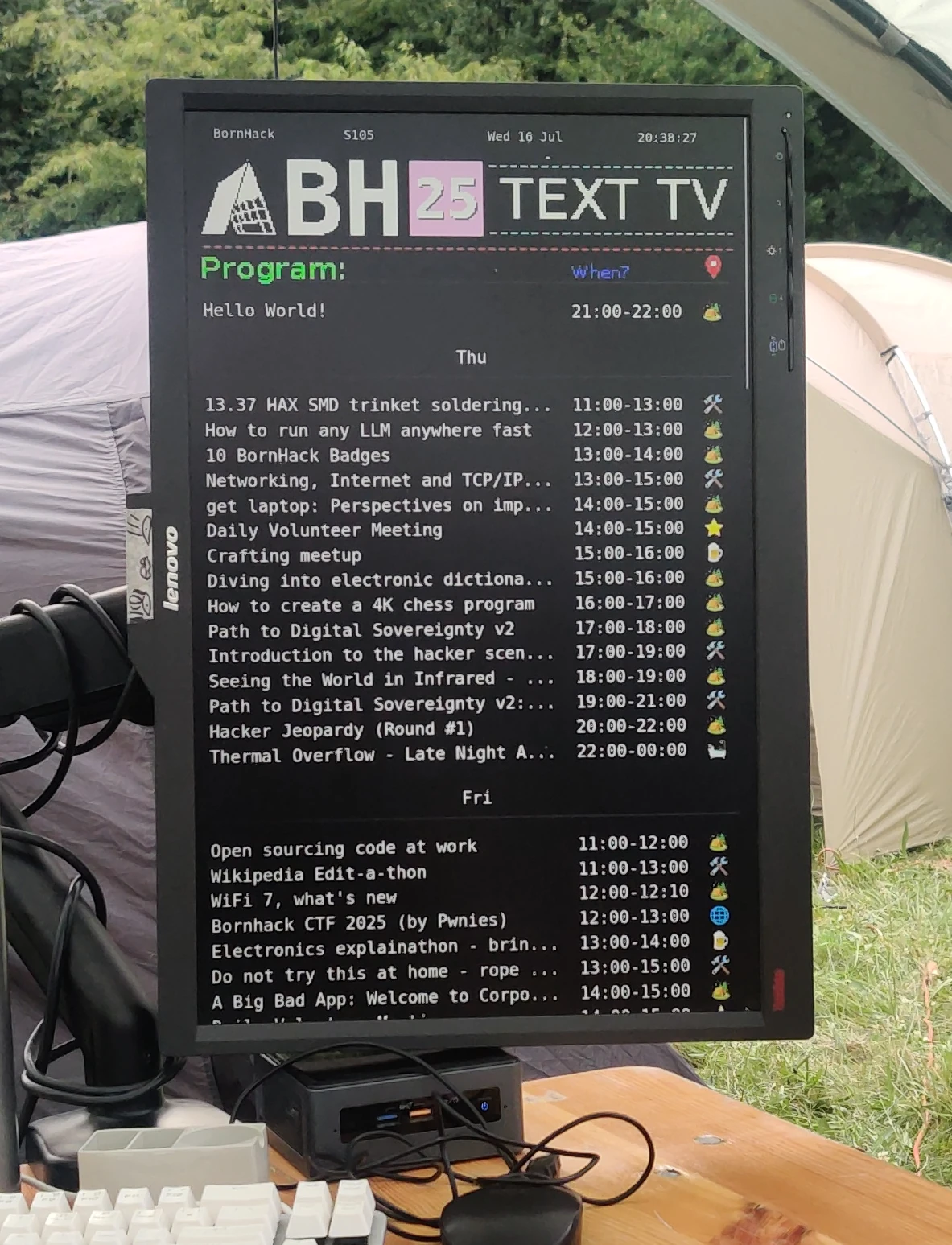
The web version was displayed in out village, and the pixel flut client was setup pretty late. Setup was too hacky to easily deploy.
2026
This time i come prepared, I've got time leading up to the event to do it right. It's all about making it easy once you arrive at the event. I've setup all the services with nix, allowing me to declare the setup.
Web
The web client got an upgrade from refreshing the entire page to using JavaScript fetch as to not make the page flash.
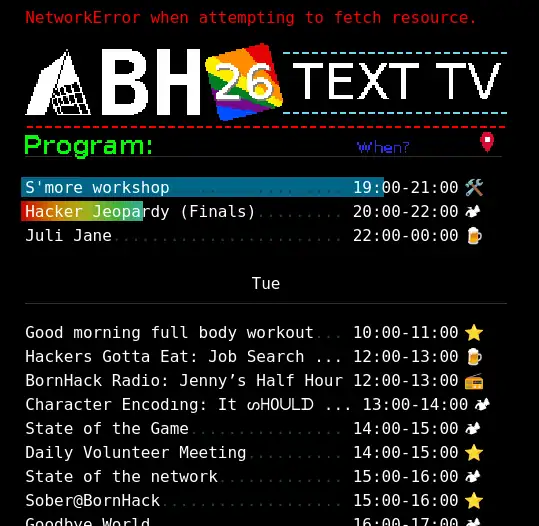
Furthermore, should an error arrise it will be displayed on the top bar in red, and it will retain the last state,
allowing me to fix it, whilst remaining useful to the users.
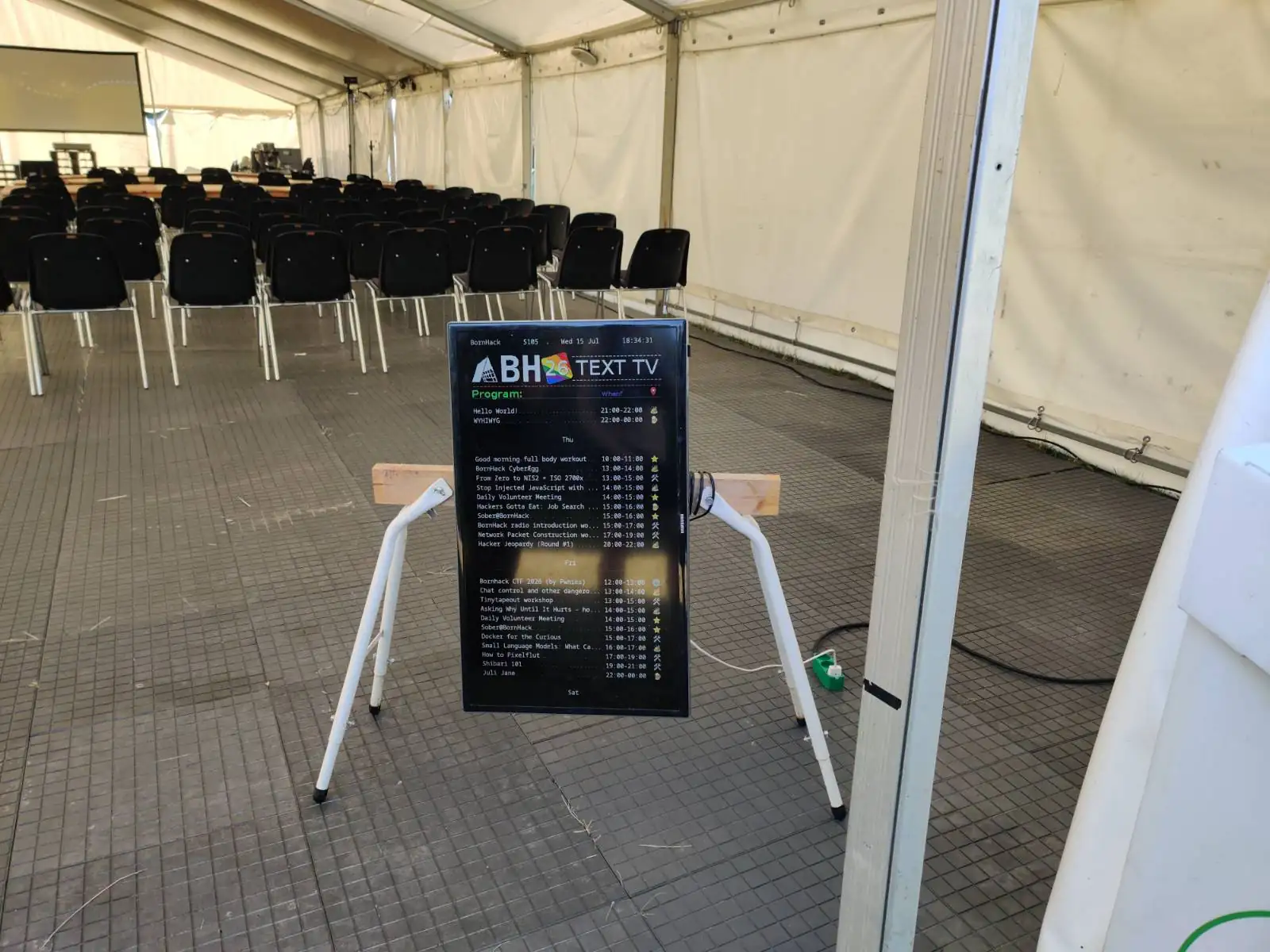
The screen was up before the first event.
The utility of it was presumably great, i saw lots of people check what events were comming up.
Pixelflut
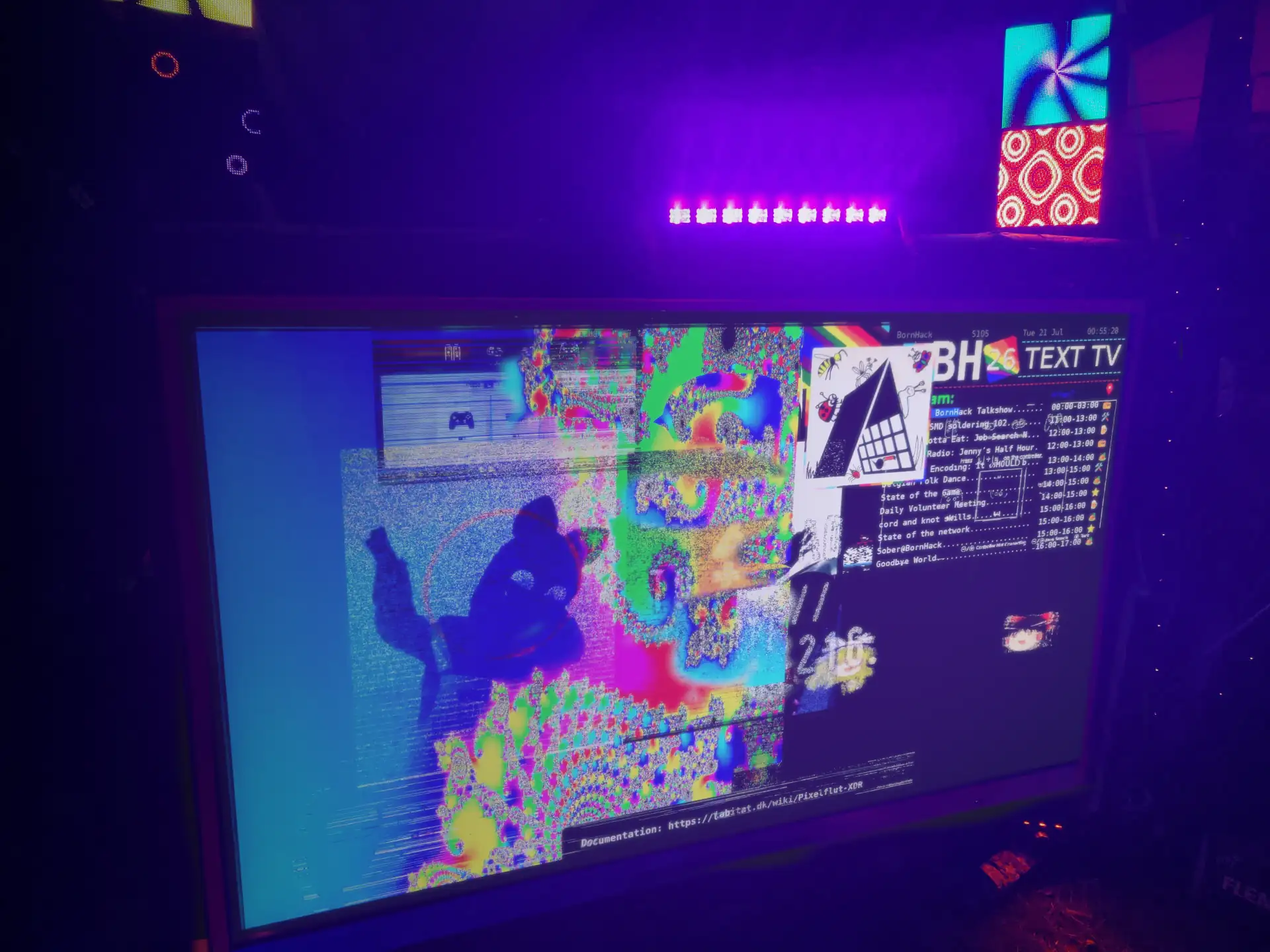
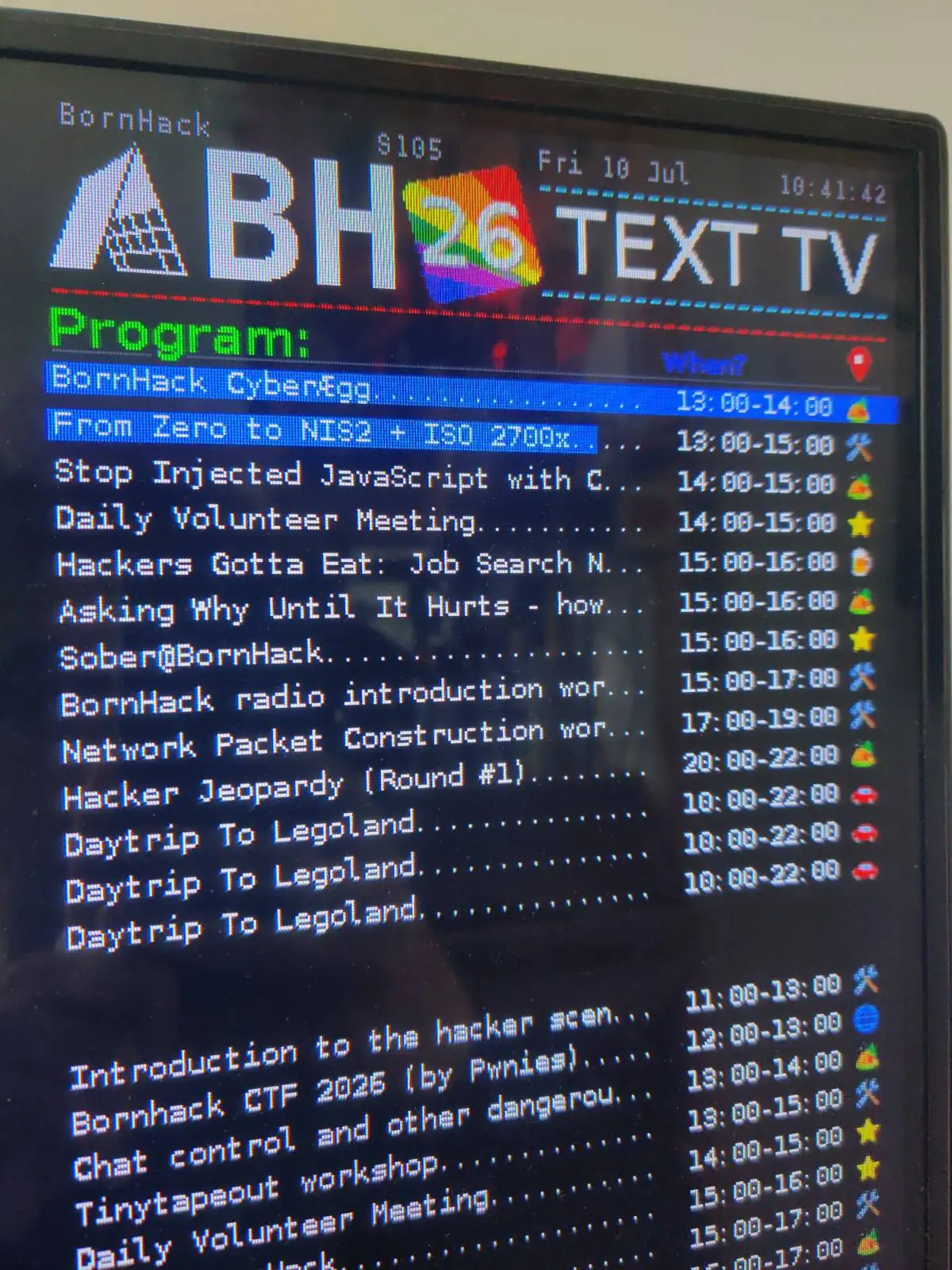
I had everything ready, i even had the pixelflut client self reported its IP on boot, allowing me to reach it.
The client ran for about a week at about 900 Megabits/s that's 68 TeraBytes of data wowe
(0.9 * 60 * 60 * 24 * 7 / 1000 / 8)
Comments